Privacy Policy
What is stored on the device, what leaves it, and which third parties are involved.
Read it →MongoBongo copper · Android
A real MongoDB client that fits in a pocket.
Connect to Atlas or to your own box, over TLS or through an SSH tunnel, and get an actual shell — not a read-only dashboard. Saved queries, aggregation pipelines and server stats, on the device you already have with you when something goes wrong at eleven at night.
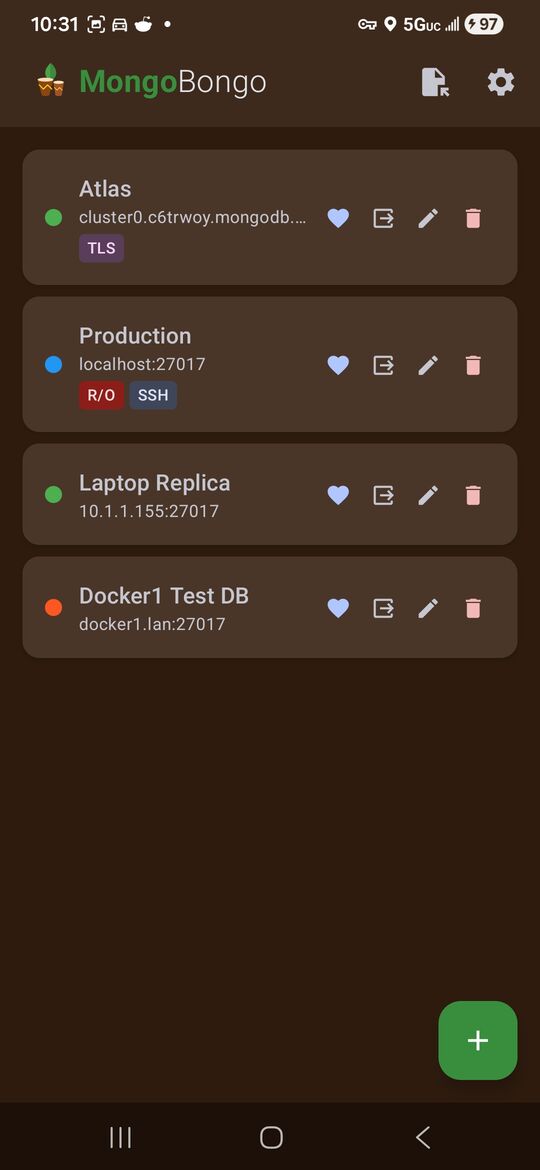
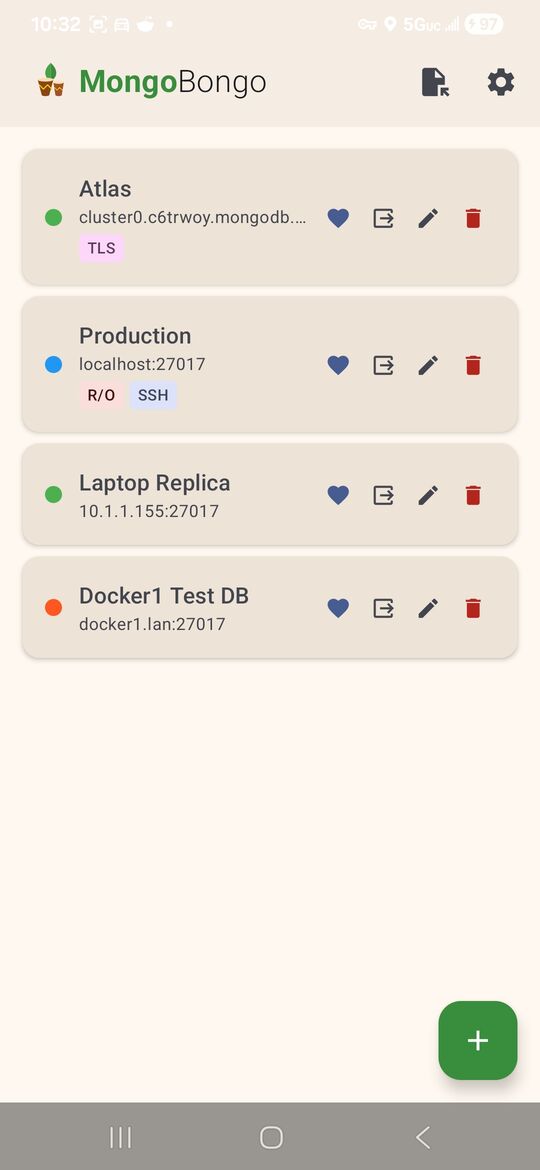
mongodb+srv://Hostname, port, replica set, TLS, and full SSH tunnel parameters per profile. Atlas mongodb+srv:// hosts resolve properly. Mark a profile read-only and it stays read-only.
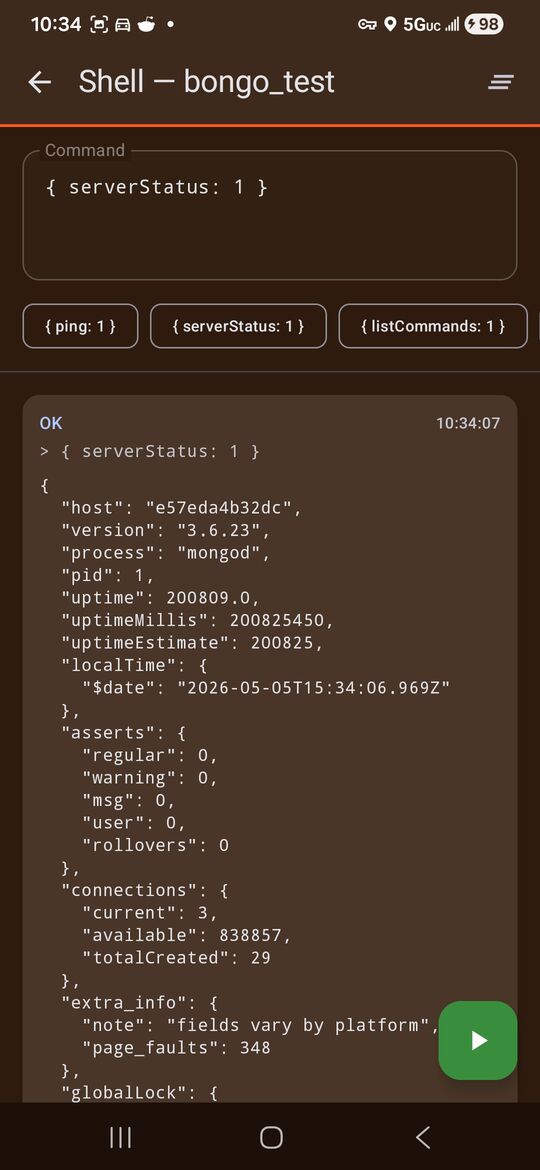
Type a command, run it, read the result. serverStatus, listCommands, whatever you need — with the commands you run most kept a tap away.
Filters, projections, sorts and aggregation pipelines, saved and named. The pipeline editor is built for a phone rather than squeezed onto one.
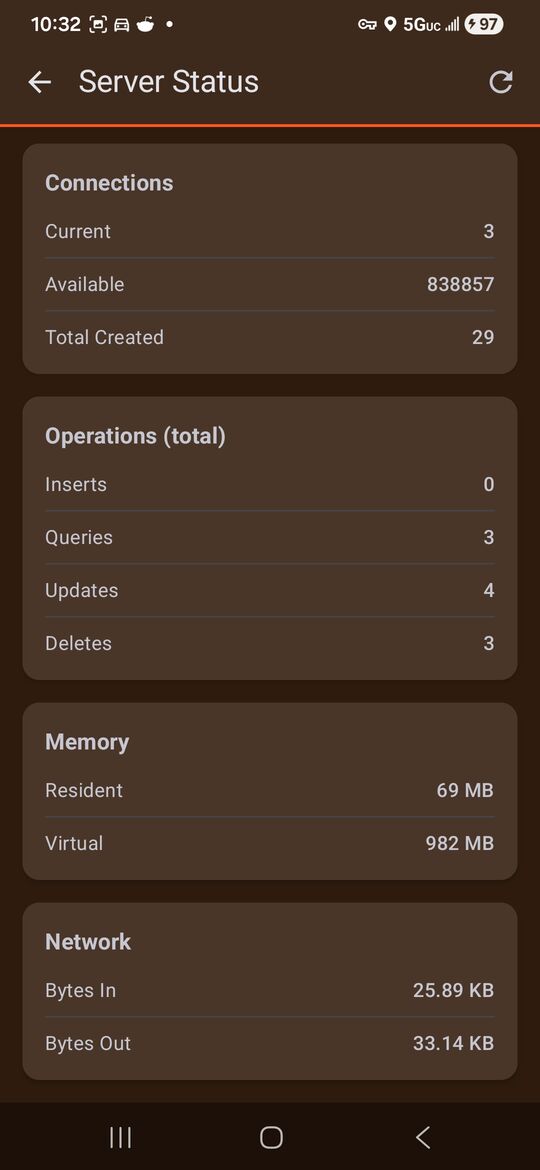
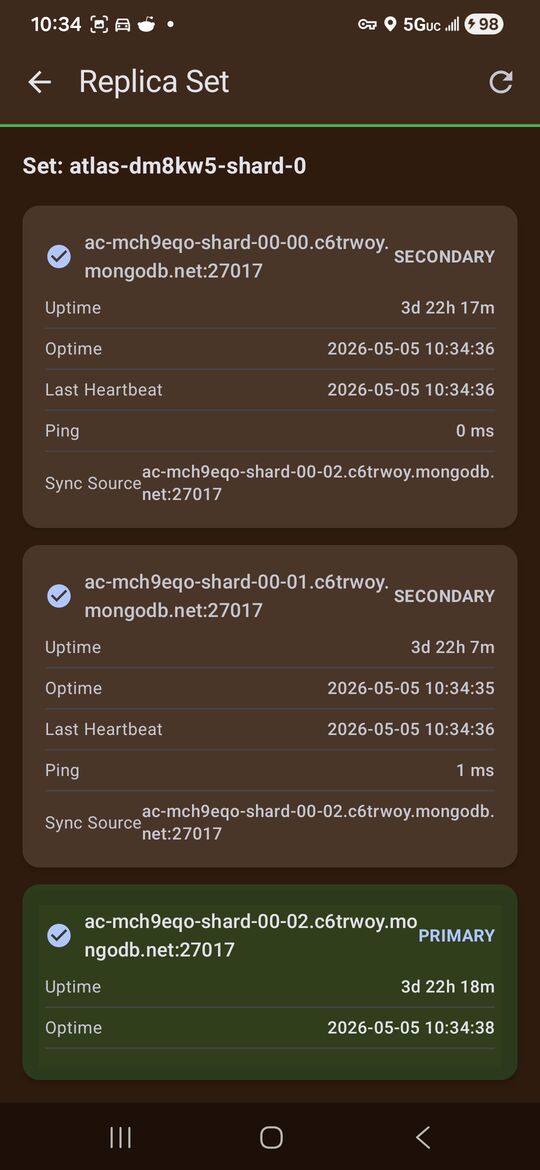
Connections, operation counts, memory and network at a glance; per-member uptime, optime, heartbeat, ping and sync source for a replica set, with the primary called out.
MongoDB passwords, SSH passwords and key references are held with AES-256 through the Android Keystore. They are never sent anywhere but the servers you configured.
Back up your connections and saved queries to a file you choose. A full backup contains credentials in plaintext, so treat that file the way you would treat the credentials.
Connection profiles, credentials and saved queries are stored in the app’s private storage. There is no MongoBongo server, so nothing is uploaded, synced or held anywhere else.
Queries and credentials travel directly to the hosts you configured — plus a DNS lookup to a public resolver for Atlas +srv hostnames, and your own SSH server when you enable a tunnel.
No advertising, no crash reporting, no telemetry and no tracking SDKs of any kind.
Uninstalling removes everything the app stored, credentials included. There is no server-side data to request the deletion of.
The full detail is in the privacy policy.